
Use case
Share your study streak, and actually study every day
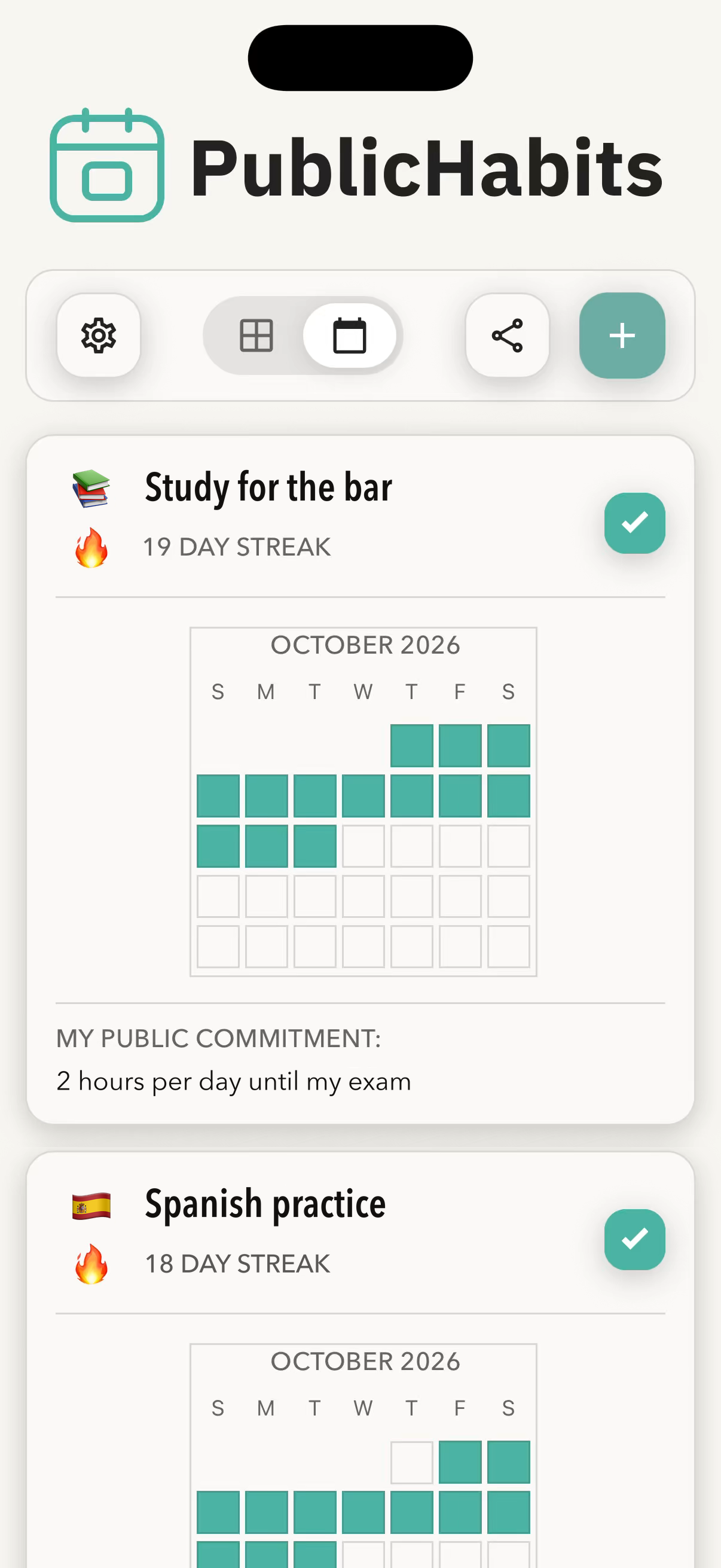
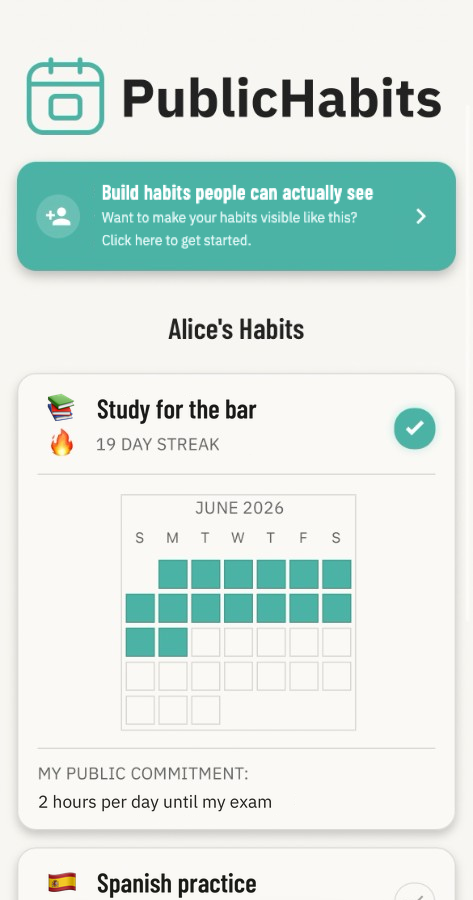
Studying is the easiest habit to put off, because nobody knows when you skip. With PublicHabits, you log each study session, and one link shows your streak and calendar to the people you choose: a study partner, a tutor, or your audience on social media. When someone might check, “I’ll start tomorrow” gets a lot harder to say.
Why study plans fall apart
There’s always a reason to start tomorrow, and a private planner or tracker doesn’t care if you do. Making your study record visible adds a small, steady reason to sit down today: someone might check.
Group chats add pressure too, but they come with constant notifications and only work while everyone keeps posting. A tutor adds accountability, but costs money. With one link, PublicHabits gives you the part that works.
How it works for studying
- Create a study habit. For example “Study for the bar exam,” “Anki reviews,” “Spanish practice,” or “One LeetCode problem.”
- Write a public commitment. Make it concrete: “Study 2 hours every day until my exam on March 3” or “Finish my Anki reviews every day this semester.” If you change it later, a dated note records the change.
- Log each session. Tap to log when you finish. Studying in two blocks? Log it twice. Add a comment to record what you covered, like “Practice test 3: 72%.”
- Share your link once. Send it to a study partner or tutor, or post it in your social media bio. They can check your page whenever they like, in any web browser (no signup or app download required).
PublicHabits vs. a study group chat
| Study group chat | PublicHabits | |
|---|---|---|
| What you share | Messages and screenshots, every day | One link, once |
| What viewers need | To be in the chat | Any web browser; no account or app |
| Effort to keep going | Everyone has to keep posting | You log your own sessions |
Who to share your study link with
- A study partner. Trade links so you can each see the other’s record without daily check-ins.
- A tutor or professor. They can see your consistency between sessions.
- Your audience on social media. Put the link in your bio if you’re studying in public.
Sharing is off until you turn it on, and you can turn it off anytime. See Sharing and privacy for exactly what people with your link can see.
Examples of study commitments
- “Study at least 90 minutes every day until the LSAT.”
- “Clear my Anki reviews every day this semester.”
- “15 minutes of Japanese practice every day for 100 days.”
- “Solve one LeetCode problem a day until I start interviewing.”
- “Read 20 pages of course material every day.”
Frequently asked questions
Why share my study streak instead of keeping it private?
Because a private study plan is easy to put off. When someone might check your progress, skipping a session gets harder. Psychologists call this the Hawthorne effect: people behave differently when they know they might be observed.
How can I share my study progress without joining a group chat?
Use PublicHabits. You log each study session in the app, and one link shows your streak and a calendar of the days you studied. Anyone with the link can view it in a web browser, without joining a chat or creating an account.
Can I use PublicHabits with my study timer or flashcard app?
Yes. Use any timer or study app you like, then tap to log the session in PublicHabits when you finish.
Can my study group see each other’s progress?
Yes. Everyone shares their own link in the group once, and then anyone can check anyone else’s page whenever they want, with no daily posting.
Will the people I share with see my other habits?
Yes. Sharing covers every habit on your account, so the people with your link see your whole record, not just the highlights.