
Use case
Make a public commitment to exercise, and actually keep it
With PublicHabits, you write down your workout commitment, check in every day you train, and share a link that shows your streak and every day you showed up. When people who know you can see your workout calendar, skipping a session gets a lot harder.
Why workout routines fall apart
Most workout routines don’t end with a decision to quit. They end with one skipped session, then another, and because nobody notices, there’s nothing pulling you back. Fitness apps don’t help here. They’re built to show off the workouts you did, and the days you skip simply don’t show up.
PublicHabits shows both. Your calendar fills in every day you train, on a page people who know you can open, so a skipped workout is something they could see. That’s what gets you out the door on the days you don’t feel like it.
How to set up a public workout commitment
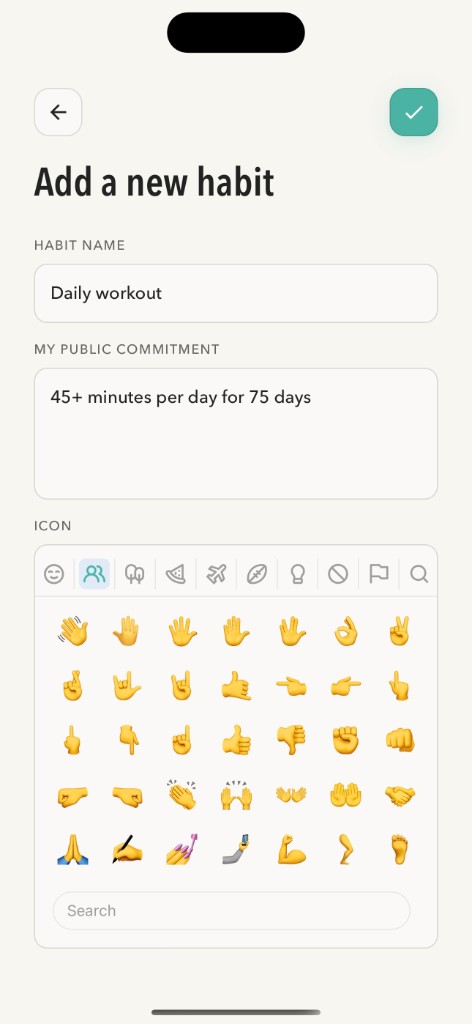
- Create the habit. Add a habit like “Daily workout,” “Morning run,” or “10,000 steps.”
- Write your public commitment. Be specific about what counts and for how long (e.g. “45+ minutes of exercise per day for 75 days”). It appears on your page, and if you change it later, a dated note records the change, so you can’t quietly move the goalposts.
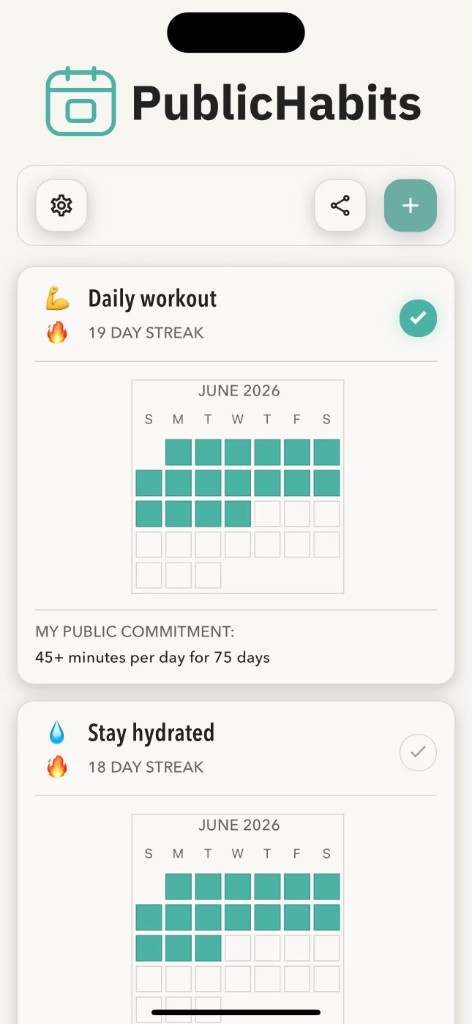
- Log each workout. Tap to mark the day complete. Training twice in a day? Log it twice. Add a comment if you want to record what you did, like “5K in 27:40” or “Leg day.”
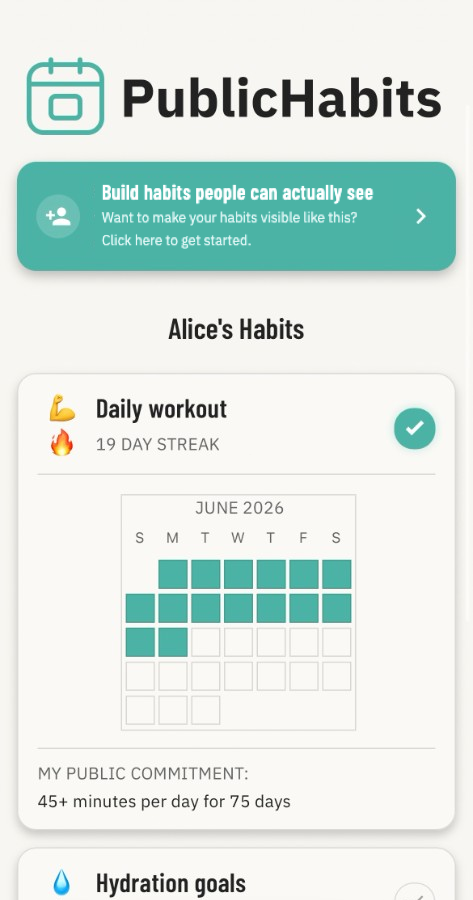
- Share your link. Turn on sharing and send your link to a training partner, share it with friends and family, or post it in your social media bio. They see your streak and calendar in any web browser (no signup or app download required).
- Turn on reminders (optional). On iOS and Android, PublicHabits can remind you if you haven’t logged today’s habits yet.
What your workout page shows
People with your link see your display name and each habit on your account, including:
- Your current streak: how many days in a row you’ve worked out
- A calendar with every workout you’ve logged filled in
- Your public commitment, and a dated note if you ever change it
- Any comments you added, like distances, times, or how a session went
A missed day doesn’t erase your progress. Your streak starts over, but every workout you’ve already logged stays on the calendar, so people see an honest record of you showing up again and again.
Make it public so every workout counts
A streak counts consecutive days, so the most motivating commitments are daily ones: a workout, a walk, stretching, or a 75-day challenge.
Training a few times a week instead? Log every session anyway. Your calendar fills in each workout, so the people watching see a public record of every time you showed up.
Examples of public workout commitments
- Daily movement: “At least 30 minutes of exercise every day this month.”
- Run streak: “Run at least 1 mile every day until the end of the year.”
- Steps: “10,000 steps a day for 30 days.”
- 75-day challenge: “45+ minutes of exercise per day for 75 days.”
- Mobility: “10 minutes of stretching every morning.”
How PublicHabits differs from fitness apps
| App type | What it records | Who notices a skipped workout | Where it breaks down |
|---|---|---|---|
| PublicHabits | Whether you worked out each day, plus your commitment and comments | The people you send your link to, who see a blank day on your calendar | If you keep your link to yourself. Sharing is what makes it work. |
| Fitness social networkse.g. Strava | Detailed activities, like distance, pace, and routes | Nobody. Skipped days just don’t show up in the feed. | When you stop posting, nobody notices you stopped |
| Workout trackerse.g. Strong | Sets, reps, and weights | Only you | The first week you skip, nothing pulls you back |
| Private trackerse.g. Streaks | Whether you did it each day | Only you | The first time motivation dips. You can quietly quit, and nobody notices. |
Your fitness app records your best efforts. PublicHabits records whether you showed up, with one tap per day for any kind of exercise.
Frequently asked questions
What app can I use to make a public commitment to exercise every day?
PublicHabits lets you write a public commitment for a workout habit, log each day you train, and share a link where people who know you can see your streak and a calendar of the days you showed up. Viewers don’t need an account or the app.
Why make my workout streak public?
Because a private streak is easy to give up on. When people who know you can see your workout calendar, skipping a session gets harder. Psychologists call this the Hawthorne effect: people behave differently when they know they might be observed.
Does PublicHabits track sets, reps, or distance?
PublicHabits tracks what consistency comes down to: whether you worked out each day. Add a comment with details like distance or time if you want them on your page.
Can I use PublicHabits for a 75-day challenge?
Yes. Write the challenge as your public commitment, like “45+ minutes of exercise per day for 75 days,” and log each day. Your streak shows how many days in a row you’ve completed, and the calendar shows the full record.
Can my trainer or workout partner see my progress?
Yes. Send them your link and they can open your page in any web browser to see your streak and calendar. They don’t need to create an account.